By Jeremy Ruben, Founder of LANDOVA · October 15, 2026
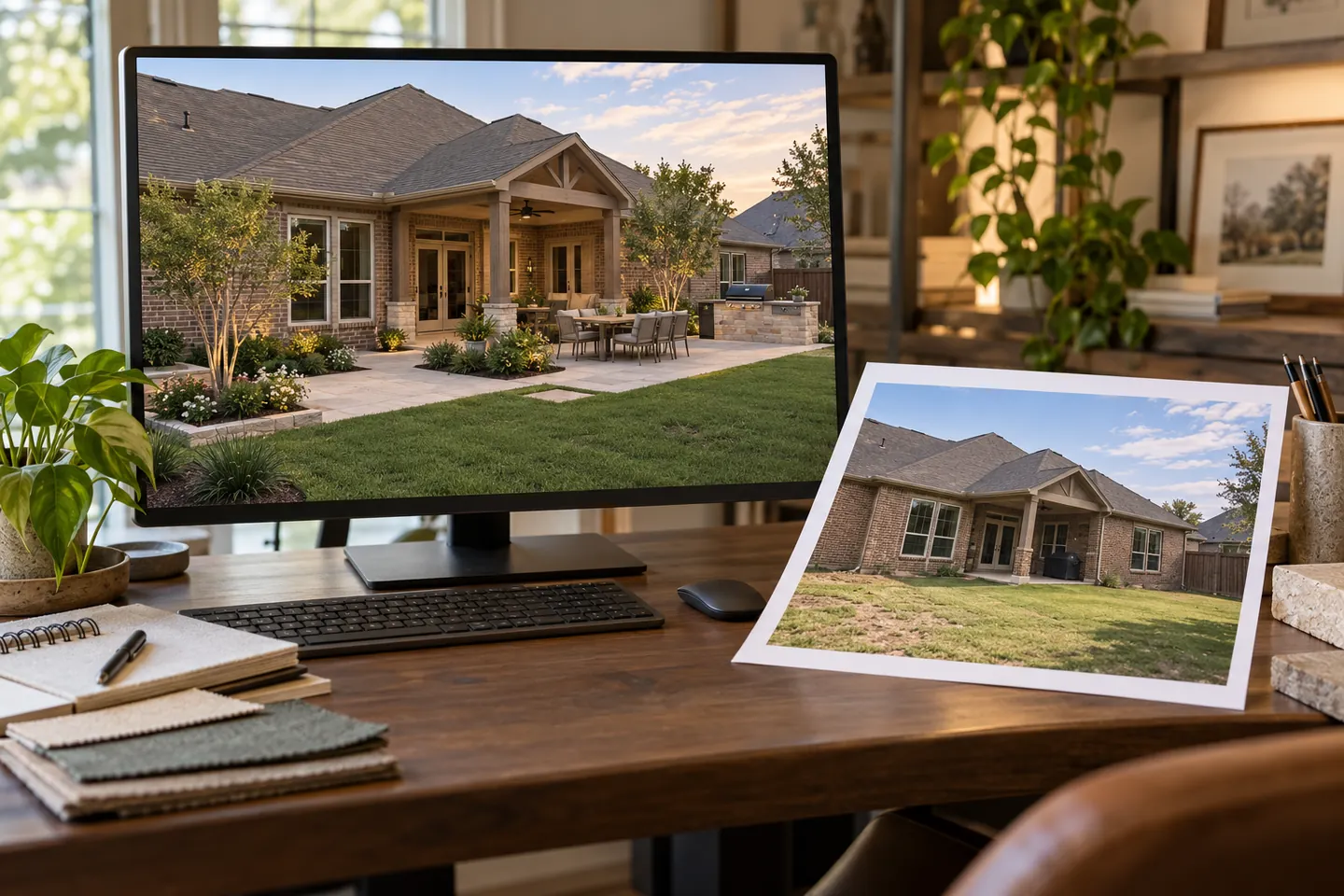
A realistic backyard image can help you picture dinner on a new patio or a quieter place to sit. Before deciding what it proves, ask one question: does this show the existing property, a proposed design, or documented completed work?
Those images support different decisions. A photograph can introduce visible site conditions. A rough layout explains where things might go. A detailed visualization helps you evaluate the proposed appearance. A finished-looking scene can still be an illustration of work that has never been built.
At LANDOVA, the purpose of design images is to make your choices easier to understand. Clear labels, consistent views and a connection to the current plan matter as much as realism.
Read the label before reading the scene
- Existing-property photograph: A record of visible conditions at a particular time and viewpoint. It does not, by itself, establish dimensions, boundaries or hidden conditions.
- Proposed design or visualization: An explanation of a design direction. Look for its revision and the decisions it is intended to communicate.
- Illustrative finished vision: A representation of how a proposed space could feel when complete. It is still a proposal, even when it looks photographic.
- Completed-work photograph: An authentic photograph of constructed work, with context about the project and the provider's actual role.
“After” can be ambiguous. If the image is a rendering or AI-generated scene, a label such as “Proposed design” or “Illustrative finished vision” explains it more accurately. A generated scene should never be presented as a photograph of a completed client project.
Follow one viewpoint through four design views
The four-view example on LANDOVA's homepage follows the same yard from its starting point through a rough layout, detailed 3D design and a finished vision. The sequence is an illustrative teaching example, not a record of a completed LANDOVA construction project. Even its existing-property view is illustrative.
Keeping the same vantage point lets you follow the house, fence and yard through the changes. That makes the design progression easier to understand without asking you to mentally match four unrelated scenes.
1. Existing property: understand the starting point
In a real project, existing photographs help explain the house, doors, views, features to keep and everyday routes. Date them and note meaningful changes since they were taken. Use overview photos and details together so an appealing crop does not hide the area being discussed.
The design also needs appropriate site information. LANDOVA's site evaluation connects imagery with measured conditions; a photograph is one part of that record. An edited photo that removes a tree or changes a grade should not silently replace the original site evidence.
2. Rough layout: decide where the spaces belong
A rough layout concentrates on placement, proportion and movement. Can you carry food from the house to the table? Does the seating area preserve the view you care about? Is a future feature given room in the overall plan?
This view does not need polished materials to be useful. It helps resolve the arrangement before detailed finishes attract attention. Ask whether the layout supports your daily life, rather than judging it by the amount of visual detail.
3. Detailed 3D design: review the connected choices
Once the layout is approved, three-dimensional views help explain materials, planting, furnishings and the relationships between features. LANDOVA develops these decisions through its design software and review process.
Ask which products are selected and which objects are illustrative. A pictured chair may represent a furniture size; a plant may show the intended role of planting rather than its exact installed size. Screens also cannot reproduce the exact texture or color of physical samples. Decisions that matter to purchasing or pricing belong in the supporting selection record.
4. Finished vision: imagine the experience
A polished view helps you imagine the atmosphere of the proposed space. Lighting, landscaping and presentation can make the design feel more immediate. That is useful communication, but it does not turn the image into evidence that the project has been built.
Compare it with the approved layout and detailed views. If a generated image changes a structure, invents a connection or moves a feature, that discrepancy needs review. The attractive image cannot quietly overrule the project record.
Separate a design change from a presentation change
When comparing views, use fixed anchors such as house corners and doors. A different camera angle, wider lens, brighter sky or more mature planting can make the same arrangement feel very different. Ask for a matching view when the presentation makes a decision hard to assess.
Also check the revision. Comparing an older layout with a newer finished vision can create an apparent conflict that has already been resolved. One current set of views and a short record of what changed keep the conversation focused.
LANDOVA's guide to AI images and buildable outdoor designs explains why creative exploration remains connected to measured site information and human review. The Design Studies gallery likewise labels its examples as illustrative studies.
Turn your reaction into useful feedback
Instead of saying only “I like this image,” explain what works: the view from the kitchen, the space around the table, the simpler material palette or the feeling of enclosure. If something feels wrong, identify the everyday activity the design needs to support.
Before approving a view, ask which decision you are approving, which choices remain open and which revision will move forward. Visual approval helps establish design intent; it does not replace technical review, product confirmation or the construction documents and approvals a project may require.
A useful image does more than look convincing. It gives you a clearer question, a more informed preference and a shared reference for the next step.